JPA로 DB Update 수행하기
✒️ 2025-05-28 14:03 내용 수정
스프링부트3 자바 백엔드 개발입문 내용 참고 및 정리
- 이전에 Spring boot 수업에선 MyBatis를 사용하여 CRUD를 진행했다. 이번에는 참고서의 내용으로 JPA를 사용하여 H2 DB에 CRUD를 수행하는 실습을 진행했다.
- 템플릿 엔진도 Thymeleaf 대신 Mustache를 사용했다.
- JPA로 DB Create 수행하기, JPA로 DB Read 수행하기에 이어 이번엔 데이터를 수정하는 과정을 실습했다.
DB에 데이터를 수정하는 과정
- JPA에서 DB로 데이터를 수정하는 과정을 정리하면 다음과 같다.
- 사용자가 브라우저에서 수정 요청 데이터를 전송한다.
- 서버의 Controller에서 요청을 받아 해당 URL이 적용된 메소드에서 수정할 데이터(DTO)를 엔티티로 변환한다.
Repository는 수정 데이터를 받아 DB에 전달한다.- DB에서는 해당 데이터를 수정한다.
데이터 수정하기
- 먼저 수정 페이지에 접근할 수 있도록 상세보기 페이지인
show.mustache파일에/articles/{{article.id}}/edit라우트로 이동할 수 있는 버튼을 추가한다.
<!doctype html>
<html lang="ko">
<head>
    <meta charset="UTF-8">
    <meta name="viewport"
          content="width=device-width, user-scalable=no, initial-scale=1.0, maximum-scale=1.0, minimum-scale=1.0">
    <meta http-equiv="X-UA-Compatible" content="ie=edge">
    <link href="https://cdn.jsdelivr.net/npm/bootstrap@5.3.3/dist/css/bootstrap.min.css" rel="stylesheet" integrity="sha384-QWTKZyjpPEjISv5WaRU9OFeRpok6YctnYmDr5pNlyT2bRjXh0JMhjY6hW+ALEwIH" crossorigin="anonymous">
    <script src="https://cdn.jsdelivr.net/npm/bootstrap@5.3.3/dist/js/bootstrap.bundle.min.js" integrity="sha384-YvpcrYf0tY3lHB60NNkmXc5s9fDVZLESaAA55NDzOxhy9GkcIdslK1eN7N6jIeHz" crossorigin="anonymous"></script>
    <title>SpringBoot Example</title>
</head>
<body>
{{> layouts/header }}

<section>
    <div class="inner p-5">
        <h1>Article #{{article.id}}</h1>
        <table class="table">
            <thead>
            <tr>
                <th scope="col">Id</th>
                <th scope="col">Title</th>
                <th scope="col">Content</th>
            </tr>
            </thead>
            <tbody>            {{#article}}
            <tr>
                <th scope="row">{{id}}</th>
                <td>{{title}}</td>
                <td>{{content}}</td>
            </tr>
            {{/article}}
            </tbody>
        </table>
        <button type="button" class="btn btn-primary" onclick="location.href='/articles/{{article.id}}/edit'">Edit</button>
        <button type="button" class="btn btn-secondary" onclick="location.href='/articles/'">Back</button>
    </div>
</section>

{{> layouts/footer }}
</body>
</html>
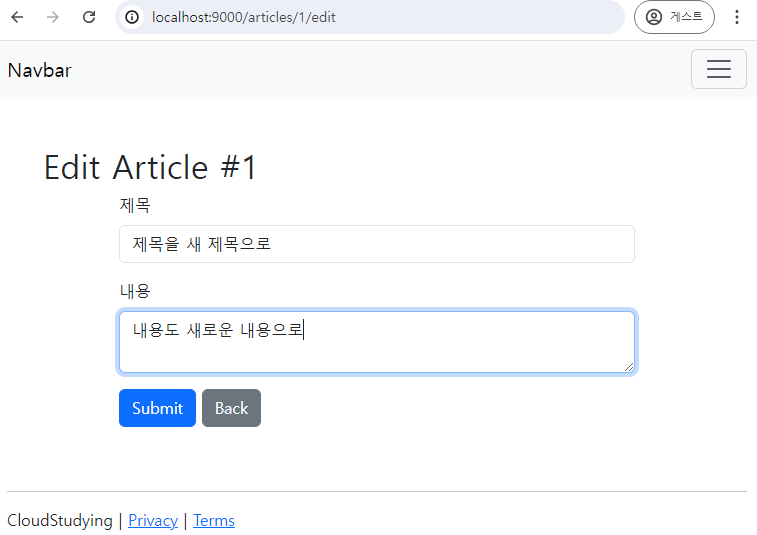
- 수정 페이지를 만들기 위해
src/main/resources/templates/articles폴더에edit.mustache파일을 생성한다.- 수정 대상의 id도
post요청에 함께 보내야 하기 때문에<input type="hidden" name="id" value="{{article.id}}">로 데이터를 함께 보내준다.<form>태그의 method에는 put이 없어 html에서 method를 오버라이드하거나post요청으로 처리한다.
- 수정 대상의 id도
<!doctype html>
<html lang="ko">
<head>
    <meta charset="UTF-8">
    <meta name="viewport"
          content="width=device-width, user-scalable=no, initial-scale=1.0, maximum-scale=1.0, minimum-scale=1.0">
    <meta http-equiv="X-UA-Compatible" content="ie=edge">
    <link href="https://cdn.jsdelivr.net/npm/bootstrap@5.3.3/dist/css/bootstrap.min.css" rel="stylesheet" integrity="sha384-QWTKZyjpPEjISv5WaRU9OFeRpok6YctnYmDr5pNlyT2bRjXh0JMhjY6hW+ALEwIH" crossorigin="anonymous">
    <script src="https://cdn.jsdelivr.net/npm/bootstrap@5.3.3/dist/js/bootstrap.bundle.min.js" integrity="sha384-YvpcrYf0tY3lHB60NNkmXc5s9fDVZLESaAA55NDzOxhy9GkcIdslK1eN7N6jIeHz" crossorigin="anonymous"></script>
    <title>SpringBoot Example</title>
</head>
<body>
{{> layouts/header }}

<section>
    <div class="inner p-5">
        <h1>Edit Article #{{article.id}}</h1>
        {{#article}}
            <form action="/articles/update" method="POST" class="container">
                <input type="hidden" value="{{id}}" name="id">
                <div class="mb-3">
                    <label class="form-label">제목</label>
                    <input type="text" class="form-control" name="title" value="{{title}}">
                </div>
                <div class="mb-3">
                    <label class="form-label">내용</label>
                    <textarea class="form-control" name="content">{{content}}</textarea>
                </div>
                <button type="submit" class="btn btn-primary">Submit</button>
                <button type="button" class="btn btn-secondary" onclick="location.href='/articles/{{id}}'">Back</button>
            </form>
        {{/article}}
    </div>
</section>

{{> layouts/footer }}
</body>
</html>
ArticleController에서 수정 페이지에 접근하기 위한@GetMapping과 수정 동작을 위한@PutMapping메소드를 추가한다.- 수정 페이지에선 수정 대상 데이터를 가져와야 하므로
Repository의findById(id)메소드를 사용하여 DB로부터 데이터를 가져온다. - 여기서
ArticleFormDTO에id필드가 없기 때문에id필드를 추가해준다.
- 수정 페이지에선 수정 대상 데이터를 가져와야 하므로
package com.example.demo.controller;

import com.example.demo.DTO.ArticleForm;
import com.example.demo.entity.Article;
import com.example.demo.repository.ArticleRepository;
import lombok.extern.slf4j.Slf4j;
import org.springframework.beans.factory.annotation.Autowired;
import org.springframework.stereotype.Controller;
import org.springframework.ui.Model;
import org.springframework.web.bind.annotation.*;

import java.util.Iterator;
import java.util.List;
import java.util.Optional;

@Controller
@RequestMapping("/articles")
@Slf4j // simple logging facade for java
public class ArticleController {

    @Autowired
    private ArticleRepository articleRepository;

    @GetMapping("/")  // 데이터 리스트 출력
    public String list(Model model) {
        List<Article> list = (List<Article>) articleRepository.findAll();
        model.addAttribute("articles", list);
        return "/articles/list";
    }

    @GetMapping("new")
    public String newArticleForm() {
        return "/articles/new";
    }

    @PostMapping("create")
    public String createArticle(ArticleForm form) {
        Article article = form.toEntity();
        Article saved = articleRepository.save(article);
        return "redirect:/articles/" + saved.getId();  // 글을 추가하면 해당 글 상세보기로 이동
    }

    @GetMapping("{id}")  // 경로 매개변수 사용
    public String show(@PathVariable Long id, Model model) {
        log.info("id = " + id);  // 로그 확인
        Article articleEntity = articleRepository.findById(id).orElse(null);  // id로 조회
        model.addAttribute("article", articleEntity);
        return "/articles/show";  // id로 조회할 데이터를 보여줄 view
        }

    @GetMapping("{id}/edit") // 수정 페이지 이동
    public String edit(@PathVariable Long id, Model model) {
        Article articleEntity = articleRepository.findById(id).orElse(null);  // id로 조회
        model.addAttribute("article", articleEntity); // view에 조회한 데이터 전달
        return "/articles/edit";  // id로 조회할 데이터를 수정할 페이지 view
        }

    @PostMapping("update") // 수정 동작
    public String update(ArticleForm form) {
        Long id = form.getId(); // form으로 같이 온 id
        Article article = form.toEntity(); // DTO to entity
        Article target = articleRepository.findById(id).orElse(null);  // 수정 대상

        if (target != null) { // 조회한 데이터가 존재할 때만 수정동작 실행
            articleRepository.save(article);
        }
        return "redirect:/articles/" + id; // 수정이 완료되면 해당 글의 상세보기로 리다이렉트
    }
}
package com.example.demo.DTO;

import com.example.demo.entity.Article;
import lombok.Data;

@Data
public class ArticleForm {
    private Long id;  // id 필드 추가
    private String title;
    private String content;

    public Article toEntity() {  // entity인 Article로 변환시에 id도 적용되도록 설정
        return new Article(id, title, content);
    }
}
- 수정 테스트를 위해 먼저 서버를 재시작한 후 새 글을 추가한다.
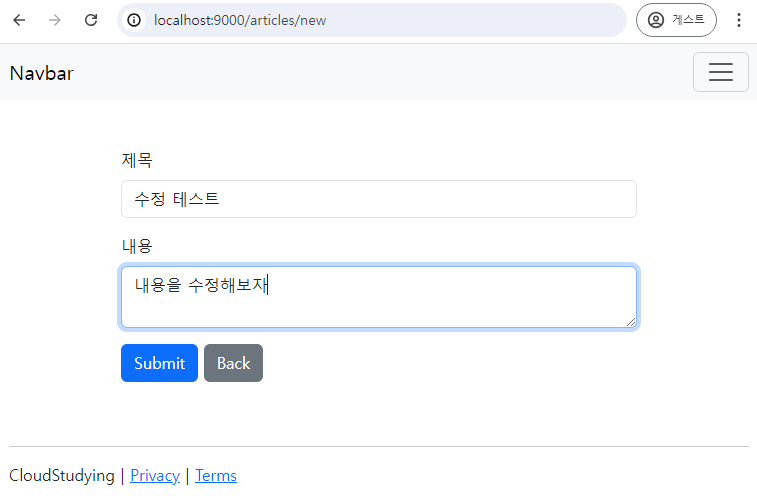
- 상세보기 페이지에서 Edit 버튼을 눌러 수정 페이지로 이동한다.
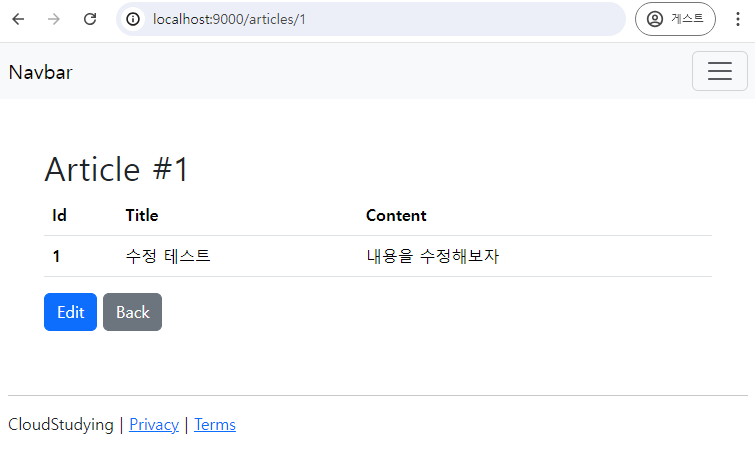
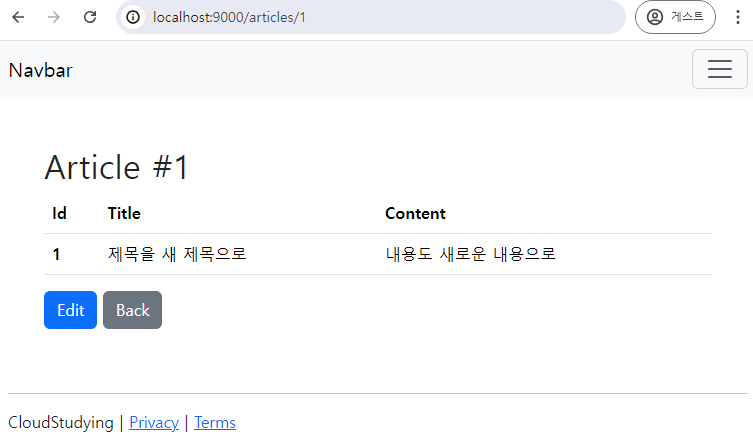
- 수정할 내용으로 작성한 후 Submit 버튼을 누르면 글이 수정된 것을 확인할 수 있다.